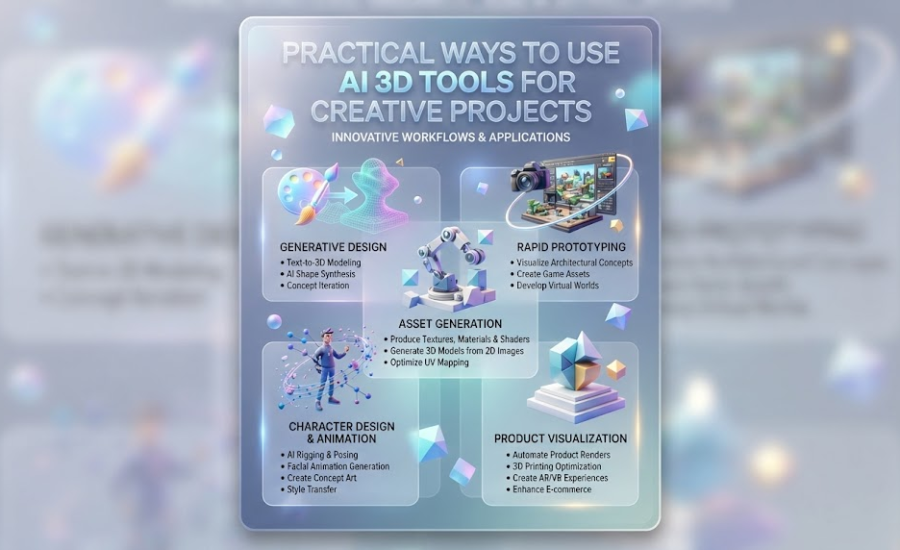
The way people create 3D content is changing. A few years ago, creating a custom 3D object usually meant learning specialized software or hiring someone with professional modeling skills. Today, AI-assisted tools are giving more people a way to experiment with 3D without starting from a complex modeling environment.
This change is especially interesting for projects where customization matters. A creator may want to turn a personal drawing into a model, develop a unique collectible, create a physical decoration from an illustration, or quickly visualize a product idea. In these cases, the ability to generate a starting model can be more useful than learning every technical step of traditional 3D modeling.
Hi3D is an AI-powered 3D creation platform built around this type of workflow. It supports image to 3D generation, multi-view generation, AI-assisted texturing, 3D relief creation, model splitting, and multi-color preparation. Its current platform also includes image generation and other tools for exploring 3D ideas.
Personalizing 3D Models From Everyday Images
One of the most approachable applications of AI 3D generation is personalization.
People already have thousands of images on their phones and computers. These can include photographs of pets, drawings made by children, character sketches, handmade artwork, or pictures of objects that inspire them.
Traditionally, turning one of these images into a 3D model would require manual modeling. AI changes the starting point by allowing an image to provide much of the visual reference.
Hi3D’s image-to-3D tool accepts common image formats such as JPG, PNG, and WEBP. Users can provide a single image or use multiple views when more visual information is needed. The API documentation currently supports up to four views for multi-view generation, with the front view required and additional back, left, or right views recommended.
This creates opportunities for personalized projects that would otherwise take considerably more effort.
A pet photograph, for example, could become the starting point for a decorative figure. A character illustration could become a collectible-style model. A hand-drawn creature could become a physical object instead of remaining only on paper.
The AI does not have to produce the final result immediately. It can provide a starting asset that the creator can inspect, modify, texture, and prepare for another application.
Collectibles are another area where customization can be more interesting than mass-produced designs.
A commercially available figure is usually designed for a broad audience. A custom model can be designed around a particular character, theme, or personal idea.
AI 3D generation can shorten the gap between an original concept and a physical collectible.
A creator could begin with a character illustration, generate a 3D version, adjust its appearance, and then prepare it for printing. For small figures, surface details and textures can have a major effect on the final appearance.
Hi3D’s current V3.0 generation options include 2048-quality and 2048-master resolutions. The API documentation also allows users to select a target polygon count, with supported targets ranging from 100,000 to 5 million polygons depending on the generation setup.
This gives creators more control over the balance between model detail and file complexity.
For a simple decorative object, extremely high geometry may not be necessary. For a detailed collectible with small features, a higher-resolution option may be more appropriate.
Turning Illustrations Into Physical Artwork
Not every artwork needs to become a conventional 3D object.
Illustrations, logos, symbols, and patterns can also be transformed into physical designs using relief generation.
A relief represents an image through changes in height rather than reproducing it as a completely flat surface. This makes the technique useful for plaques, signs, decorative panels, wall art, badges, and similar objects.
Hi3D includes an image-to-3D relief capability. Its API supports relief outputs including EXR, PNG, STL, GLB, 3MF, and BMP, giving creators options for both digital processing and physical production.
This can be particularly useful for people who already work primarily in 2D.
For example, an artist could create a logo digitally and then explore a raised physical version. A designer could turn a decorative illustration into a wall-mounted piece. A hobbyist could use artwork as the basis for a small personalized plaque.
The important point is that AI-assisted 3D creation does not require every project to begin with a conventional three-dimensional object.
Developing Product Concepts Before Manufacturing
Product designers often need to explore several ideas before choosing one direction.
The traditional approach may involve sketches, CAD models, physical prototypes, or a combination of these. While these methods remain important, AI-generated 3D assets can be useful during the early exploration stage.
Imagine a designer working on a decorative lamp, desk accessory, toy, or household object. The designer may want to compare different shapes before spending time developing a precise production model.
AI can help create rough 3D representations that make these concepts easier to visualize.
This does not mean an AI-generated model should automatically be sent into manufacturing. Products with precise mechanical requirements still need appropriate CAD modeling, engineering checks, material considerations, and manufacturing validation.
The value of AI is often earlier in the process.
A quick generated model can help answer questions such as whether a particular shape looks appealing, whether proportions feel right, or which concept deserves further development.
That can make the ideation stage more visual and interactive.
Building Physical Prototypes Faster
Prototyping is closely related to product visualization, but the goal is different.
A visual model helps people understand an idea. A physical prototype allows them to interact with it.
For 3D printing enthusiasts, AI-generated models can become starting points for this type of rapid prototyping.
A creator could generate a model, export it in a suitable format, and move it into a printing workflow. Hi3D supports several common 3D formats, including OBJ, GLB, STL, FBX, USDZ, and 3MF for its image and multi-view generation workflows.
The availability of formats such as STL and 3MF is particularly relevant to 3D printing workflows, while OBJ, GLB, and FBX can be useful in other digital 3D applications.
This flexibility allows the generated model to become part of a broader workflow instead of remaining inside one platform.
Creators can therefore use AI generation for experimentation while continuing to use the software and tools they already know.
Making Large 3D Prints Easier to Handle
Physical size is one of the limitations that digital models do not have.
A model can be any size on a computer screen, but a physical 3D printer has a fixed build volume. Large objects therefore need a different approach.
This is common with cosplay props, statues, helmets, decorative pieces, and other oversized projects.
Hi3D’s Split-to-Print capability is designed for this situation. It can divide a 3D model into printable parts and add connectors to help with later assembly. The platform describes the feature as a way to split models into printable sections while preparing them for assembly.
This can save users from having to manually determine where a large model should be separated.
For example, a large character figure might be divided into the head, body, arms, and base. A long prop could be divided into several sections that fit within the printer’s build area.
The exact arrangement still depends on the model and printer, but automated splitting can make large projects more approachable for hobbyists.
Preparing Models for Multi-Color Printing
Color is another practical issue when digital designs become physical objects.
A model displayed on a screen can contain dozens of colors. A physical printer, however, needs a specific method for producing those colors.
Hi3D provides a multi-color model workflow that automatically separates different color regions. The platform currently describes the feature as creating clear, printable color regions with control over the number of colors.
Its dedicated segmentation feature also provides different modes for different users. A basic mode is intended for simpler one-click processing, while a professional mode provides more interactive control over the segmentation. The resulting files can be exported into workflows involving popular slicing software.
This is particularly relevant for models such as cartoon characters, logos, toys, and figurines where color placement is part of the design rather than an optional decoration.
Instead of treating color as something that must always be painted after printing, creators can consider color during model preparation.
Experimenting With Different Surface Styles
The shape of a model is only one part of its visual identity.
The same geometry can represent very different objects depending on its surface appearance.
A model might look like painted ceramic in one version, carved wood in another, or a stylized digital asset in a third version.
Hi3D’s Stylized Texture feature is designed for this kind of experimentation. As an ai 3d texture generator, the platform offers a way to add realistic or stylized textures to generated models.
The API also supports workflows where geometry and texture can be generated separately or together. PBR can be enabled for texture generation when appropriate.
This gives creators different ways to approach texturing.
Someone who only needs the geometry can focus on shape first. Another user may want geometry and texture together. A creator working on a digital asset may want more control over the appearance before exporting the model.
This flexibility can be useful when the same model needs to serve several creative purposes.
Supporting Character and Game Asset Development
Character design often starts in 2D.
An artist may create concept art showing a character from one angle before the project requires a 3D version. Turning that concept into a model manually can be a separate and time-consuming task.
AI-assisted generation can provide an initial bridge between those stages.
Hi3D’s platform supports image-to-3D generation for digital assets, while its documentation lists game development among the intended application areas.
A generated model may serve as a concept asset, reference, prototype, or starting point for further modeling.
It should not necessarily be treated as the finished asset for every production environment. Game and film projects can have strict requirements for topology, optimization, rigging, UVs, and animation.
Nevertheless, getting a recognizable 3D version of a concept can be useful during early development.
It allows artists and designers to evaluate proportions and silhouettes from different angles before committing to a more detailed production process.
AI 3D generation also has potential in educational settings.
Learning traditional 3D modeling can involve many separate concepts. Students may need to understand geometry, modeling tools, materials, lighting, file formats, and rendering before they can create something recognizable.
An AI-assisted environment can provide a more immediate introduction.
A student might begin with a drawing and see how it can become a three-dimensional object. Teachers can then use the result to discuss geometry, design, manufacturing, or digital art.
The same approach could be used in project-based learning.
For example, students studying history could create simplified models inspired by historical objects. Art students could explore how a two-dimensional design changes when converted into physical form. Technology classes could examine the relationship between digital models and 3D printing.
The purpose is not to replace learning. Instead, AI can make the first interaction with 3D creation less intimidating.
Combining Human Creativity With AI Generation
AI 3D tools are most useful when they are treated as creative assistants rather than automatic replacements for designers.
The person still decides what to make, which reference to use, which result is useful, and what needs to change.
This is especially important because AI-generated geometry may contain imperfections. Some models may require additional editing, and physically printed objects still need to be checked for their intended use.
The advantage is that creators can spend less time building an initial version from nothing.
A designer can generate several possibilities and choose one. An artist can explore different surface treatments. A maker can test an unusual idea without committing to hours of manual modeling.
In this sense, AI changes the economics of experimentation.
When creating a new version becomes faster, creators can try more ideas before deciding which one deserves further work.
Connecting AI Generation With Developer Workflows
AI 3D generation can also be used beyond individual creative applications.
Businesses may want to incorporate 3D generation into their own websites, design tools, printing platforms, or applications. Building an entire 3D generation system internally would require significant technical resources.
Hi3D provides an API for this type of integration.
The current API includes image-to-3D, multi-view-to-3D, image-to-3D relief, 3D model splitting, and 3D model multicolor capabilities.
This means a developer can potentially build AI 3D generation into a larger product instead of requiring users to manually switch between multiple independent services.
For example, an e-commerce platform could explore custom 3D product experiences. A 3D printing service could integrate model generation into its workflow. A creative application could offer image-to-3D functionality as part of a broader design environment.
This developer-oriented side of AI 3D generation is important because the technology is not limited to individual users.
Choosing the Right Starting Point for a Project
Different projects benefit from different approaches.
If a creator already has a clear reference image, image-to-3D generation may be the most direct option.
If several views of an object are available, multi-view generation can provide additional information to the model.
If the goal is decorative artwork rather than a complete object, 3D relief generation may be more appropriate.
If a large model needs to be physically produced, splitting tools can become important.
For a colorful character or figurine, multi-color preparation may be useful.
And if the main challenge is appearance rather than geometry, AI-assisted texturing can provide another layer of creative control.
This is why an all-in-one AI 3D platform can be useful. Different projects do not always require the same workflow.
Hi3D’s current feature set reflects this variety, with separate tools for 3D generation, image generation, stylized textures, splitting, multi-color printing, and relief creation.
The Growing Role of AI in Making 3D More Personal
One of the most interesting developments in AI 3D creation is the shift from standardized assets toward personalized ones.
Instead of choosing from a fixed library of models, users can increasingly start with their own images, ideas, and designs.
That could mean a custom figurine based on an original character, a decorative object inspired by personal artwork, a physical version of a logo, or a prototype based on an experimental concept.
For 3D printing in particular, this opens up a different relationship between digital creation and manufacturing.
The printer is no longer limited to reproducing objects designed by someone else. A user can participate in creating the digital model itself, modify it, and then decide how it should be produced.
AI does not remove the need for creativity, judgment, or technical checking. Instead, it gives more people a practical way to participate in a process that once required much more specialized knowledge.
That shift—from consuming existing 3D assets to creating personalized ones—is one of the areas where platforms such as Hi3D can play a useful role.
